If you’re a freelancer or agency professional, you will be all too familiar with the dreaded timesheet dance. Maybe you’re the one frantically filling out time logs at the end of the week, or perhaps you’re the account manager constantly reminding your team to update their hours. Either way, we thought it was time to throw some AI at this problem and make it less of a headache.
The Smart Timesheet Chrome Extension
[This chrome extension is currently under review. We’ll update this with a link when its available, for you to try.]
We built a tool that reimagines how you track time across projects. The basic premise is this: turn on smart tracking, do your work as usual (bouncing between different projects, opening various tabs, jumping from tab to tab), and let AI figure out which activities belong to which projects.
How It Works
- Project Setup: First, you enter the names of your projects and write a description for each one. The more detailed your project descriptions, the better ChatGPT can match your activities to the right project.
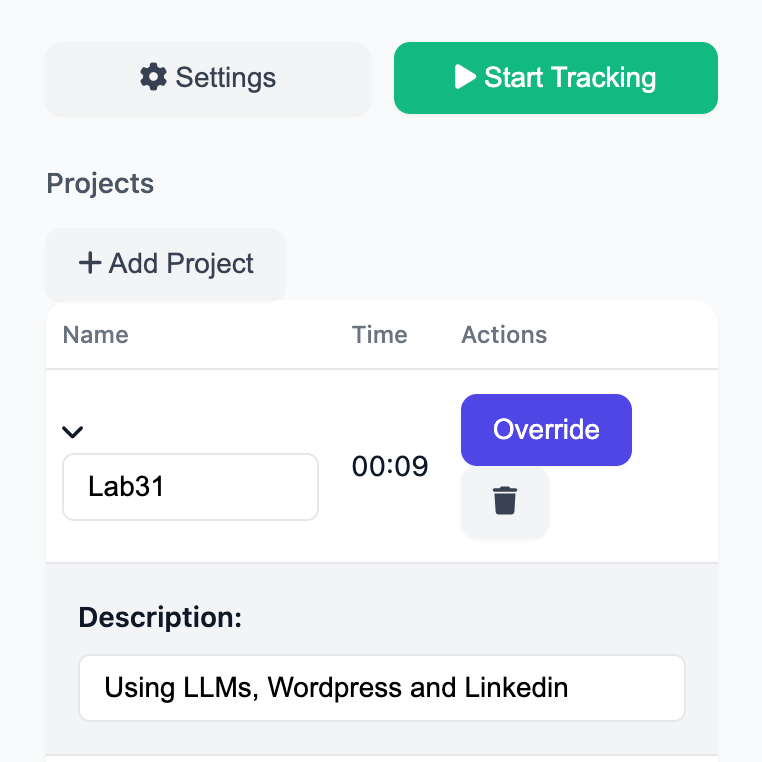
2. Smart Tracking: Hit “Start Tracking” and get to work. The app monitors three key pieces of data (all stored locally):
– The URLs you visit
– Tab names you’re working with
– Whether you’re actively engaging with each page
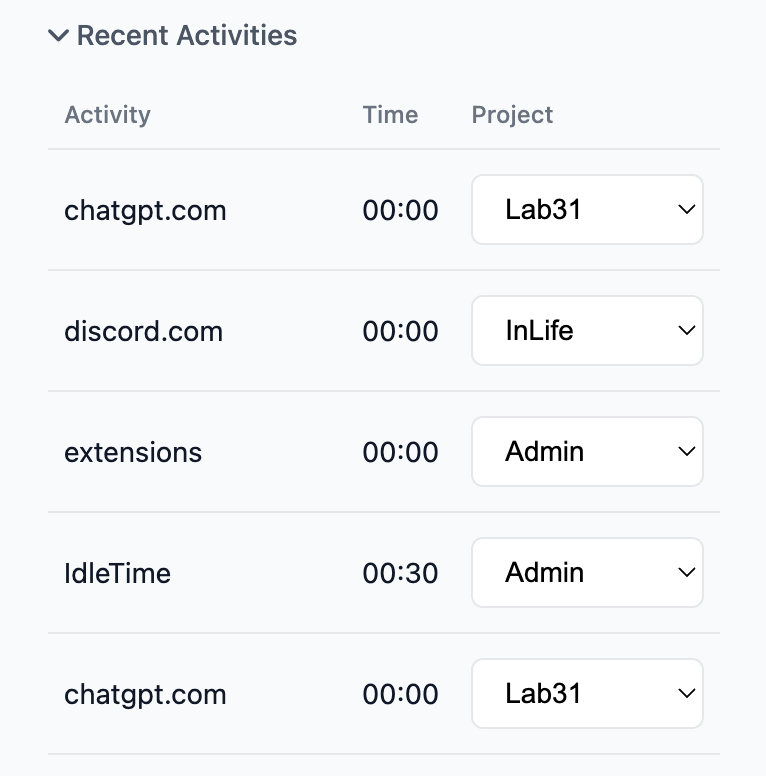
3. AI-Powered Allocation: Every minute, your activity log is fed to ChatGPT along with your project name and descriptions. The AI analyzes this data and automatically assigns each activity to the most relevant project based on your descriptions.
Smart Features for Chaotic Work Patterns
We’ve built this tool to keep up with chaotic operators like us. Here’s what makes it special:
- Activity Review: Check your “Recent Activities” to see which project each activity has been allocated to. If the AI makes a mistake, you can easily correct it, and the system learns from these corrections for future allocations.
- Manual Override: Hit the override button any time to manually apply time to specific projects, turning off any “smart” allocations.
- Intelligent Idle Detection: We’ve added a customizable idle threshold (default: 5 minutes) that automatically pauses tracking when you’re inactive. If you’re idle for 30 minutes, the tool will check in to see if you’re on a break or if that time should be allocated to a specific project.
Moral of the story
Think of a thing in your workplace that sucks because of how cumbersome, monotonous, or energy-sucking it is. With a bit of thought, there’s a good chance you can throw some AI at it to take it off your plate so you can get back to doing the stuff you’ve been hired to do.
Credits
Lead Engineer: ChatGPT o1 Pro (we threw the big guns at this one)
Code Consultant: Gemini 2.0 Flash Thinking Experimental
Designer: Claude 3.5 Sonnet
Chrome Extension Icon: Dall-e 3

 LAB31
LAB31 
Leave a comment